Interactive Product Tours That Accelerate User Onboarding
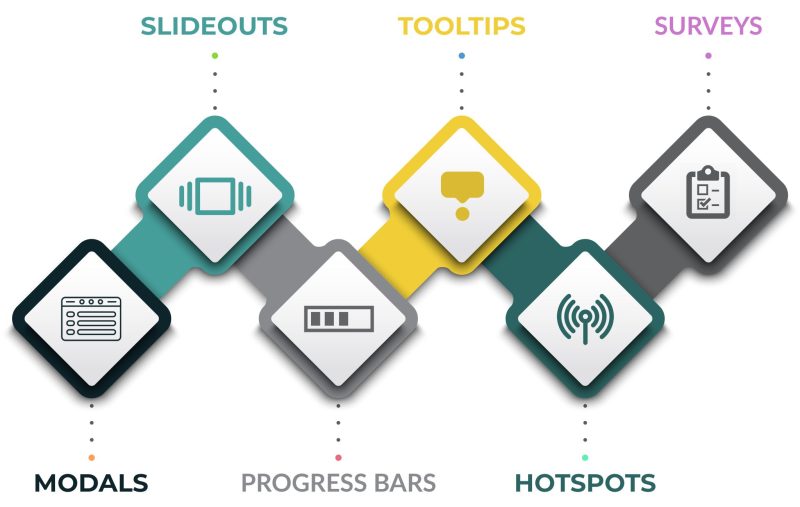
Getting new users to understand your product can be overwhelming. No matter how user-friendly the interface looks, many feel paralyzed by unfamiliar layouts and unclear instructions. They may click around, unsure of where to start, or worse, give up before they ever experience your product’s value.
The good news is that an interactive product tour can shorten the onboarding process by guiding users through the interface. This strategy can be tailored to match user behavior and goals, making the process relevant and intuitive. Here are ways you can implement this strategy.
Create an Onboarding Checklist
A checklist helps users understand the steps they must take to get started. It guides users through essential actions, such as setting up their profile or exploring core features.
As users check off each completed task, they are motivated to continue since they know exactly what’s left to do and whether they are progressing in the right direction. This reduces the chances of users missing important steps, which can delay activation or cause confusion. It also boosts user engagement and accelerates product adoption.
Modals
Modals are interactive pop-up windows that appear over the main interface, drawing the user’s attention to a specific task, message, or action. They can be used to introduce core features, explain setup steps, or highlight what to do next while keeping the interface clean and user-friendly.
Modals also provide timely confirmations or prompts, such as encouraging profile completion or guiding users toward their first successful action. This reduces uncertainty, keeps users engaged, and creates a smooth onboarding process.
However, modals should be used sparingly to avoid overwhelming users. Additionally, they should be triggered at the right time to ensure they are helpful and not disruptive.
Slideouts
As the name suggests, slideouts are interactive panels or windows that slide in from the onboarding screen. They are less intrusive than modals, allowing users to continue their tasks while still being presented with relevant content or guidance.
They can be used to highlight key features, offer step-by-step instructions, or present helpful reminders as users navigate through the product. They can also include buttons, links, or calls-to-action to prompt users to explore more or complete tasks.
However, they should slide in at the right time to provide helpful guidance without being disruptive. Slideouts should also be easy to dismiss or minimize to give users control over their experience.
Progress Bars
Progress bars are visual indicators that show users how far they’ve come in a task or process and how much is left to complete. This helps them stay focused and motivated as they complete various steps.
They often appear at the top or bottom of the screen and fill in gradually as the user completes various steps or actions. They may display percentages or a simple visual representation of progress.
For example, in an onboarding flow, a progress bar might indicate the percentage of steps a user has completed when setting up their profile or exploring key features.
Tooltips
Tooltips are small pop-ups that appear when users hover over or interact with specific elements in a product interface. They are designed to provide quick information without cluttering the screen or interrupting the user’s flow.
Tooltips usually appear next to buttons, icons, or form fields to explain their purpose or offer brief instructions. This helps new users understand how various sections of the interface work, especially during onboarding when unfamiliar terms or functions can cause hesitation. Moreover, they improve usability and reduce the need for users to search through help docs or FAQs.
That said, the tooltips should only appear when needed and disappear easily so they don’t distract or frustrate users. It’s also important to place them near the element they refer to and ensure they work smoothly on both desktop and mobile.
Hotspots
Hotspots help draw the user’s attention to specific sections that require focus or action. They can be clickable icons, animated buttons, or visual cues like arrows or pulsing elements.
During onboarding, hotspots can guide users to key parts of the product, such as essential tools, settings, or navigation elements. They provide direction, ensuring users don’t miss important features as they familiarize themselves with the interface.
When a user clicks or hovers over a hotspot, it can reveal additional information to explain the function or feature. Ideally, hotspots should be placed where users are most likely to interact, and they should be easy to identify without being too distracting. It’s also important to ensure they convey a short and direct message to enhance the user experience.
Interactive Walkthroughs
Interactive walkthroughs are step-by-step, guided tours that lead users through key features or tasks. Unlike passive tutorials or static instructions, these tours allow users to interact directly with the interface as they learn how to use it. This makes it easy to understand your product.
For instance, they can guide users in setting up an account, completing their profile, or exploring core features. They might also highlight buttons or options on the screen and prompt users to take specific actions, such as clicking a button or entering information, before moving on to the next step.
Surveys
Surveys provide insights into users’ preferences, goals, and experiences with the product. This information allows you to personalize the onboarding experience, ensuring it is tailored to each user’s needs.
For instance, an initial survey can help determine the user’s goals and preferences, allowing the onboarding flow to be customized accordingly. Mid-process surveys can assess how the user is progressing, highlight any challenges, and allow businesses to offer timely support. At the end of the onboarding process, surveys can capture feedback on the user’s experience, helping companies identify areas that should be improved.
Elevate User Onboarding with Interactive Product Tours
A seamless onboarding is the culmination of your users’ buying journey. But first, you have to put your brand on their radar. At Joseph Studios, we design customized marketing solutions that help transform user acquisition into a smooth and enjoyable experience, from the first stages of awareness to that final buy-in. Contact us today to learn more about our services!

Maja has spent nearly a decade helping brands build authority, drive leads, and grow without relying on paid ads. With expertise in growth marketing, Generative Engine Optimization, technical SEO, and content-led growth, she turns smart content strategy into measurable business results.